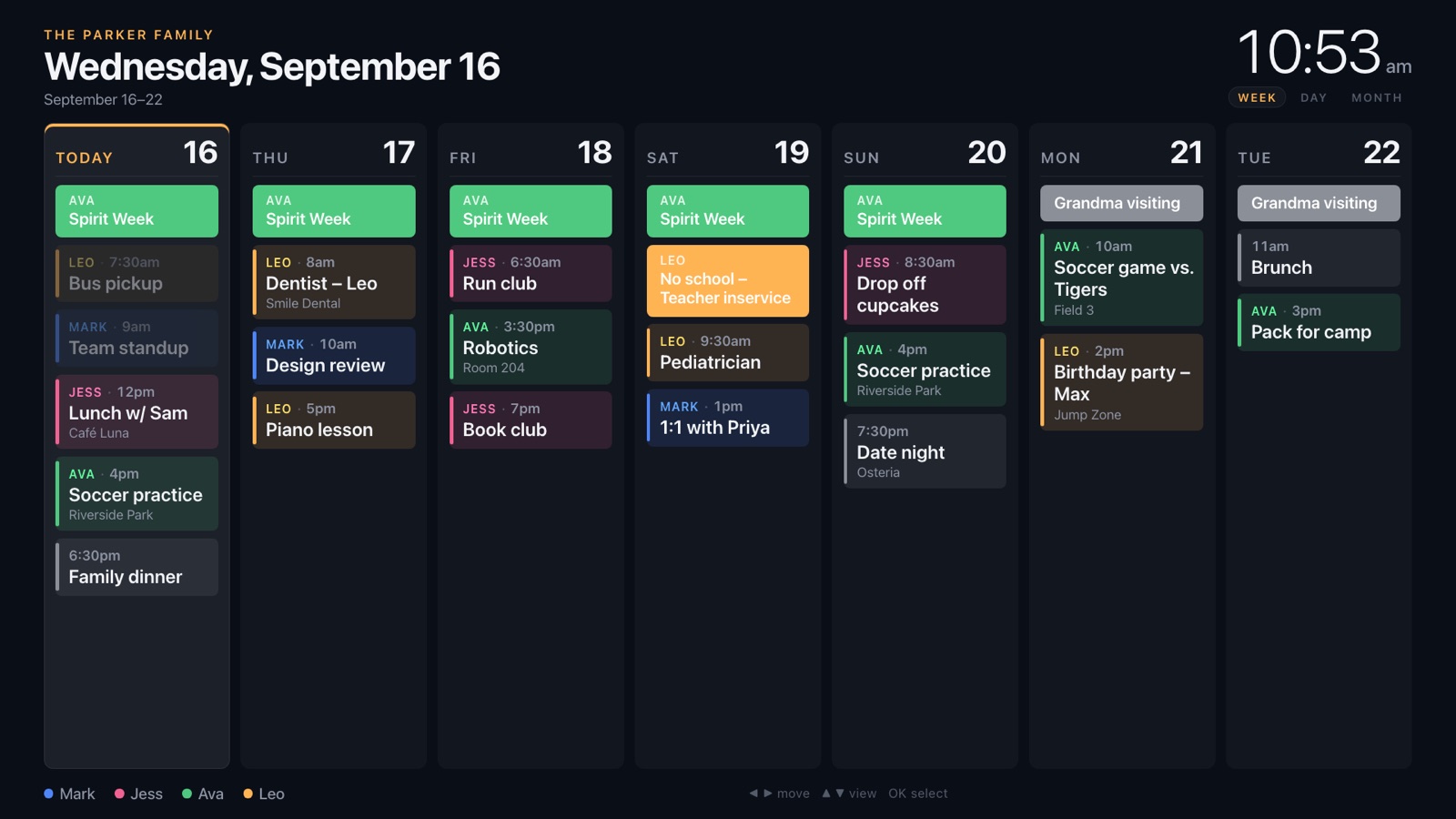
Everyone in their own color
Mom's meetings, the kids' practices and the family dinner. One glance tells you whose is whose.
For Fire TV
Works with Google Calendar, iCloud, Outlook, TeamSnap and any calendar with an iCal link.
Free during early access. Install it on your Fire TV, then set up from your phone.
Works with the calendars you already use
Mom's meetings, the kids' practices and the family dinner. One glance tells you whose is whose.
The TV shows a short code. Enter it on your phone and the display connects on its own.
Changes made on anyone's phone show up on the wall within minutes. No syncing, no refreshing.
If the internet drops, the TV keeps showing the schedule it last had until the connection's back.
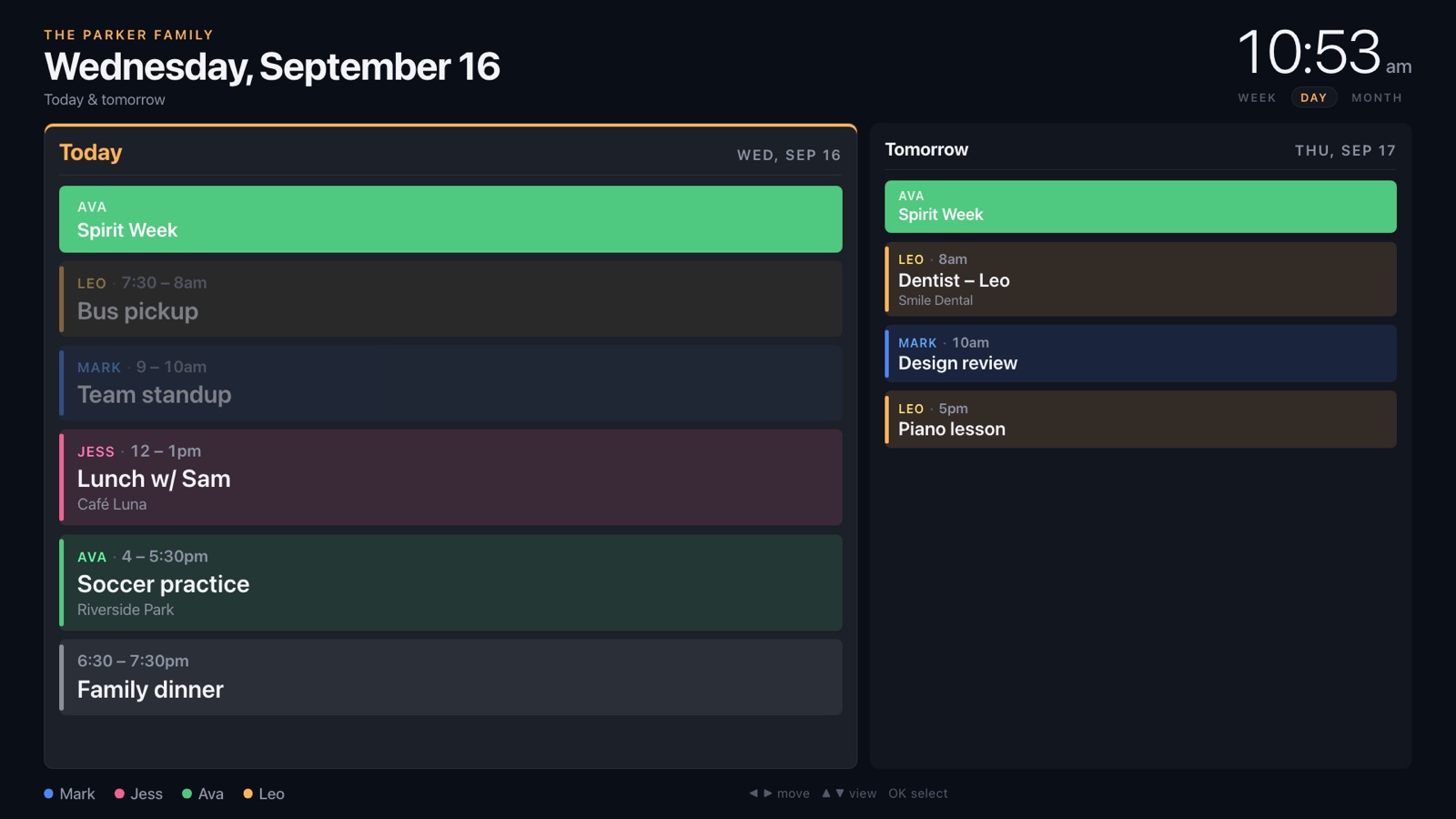
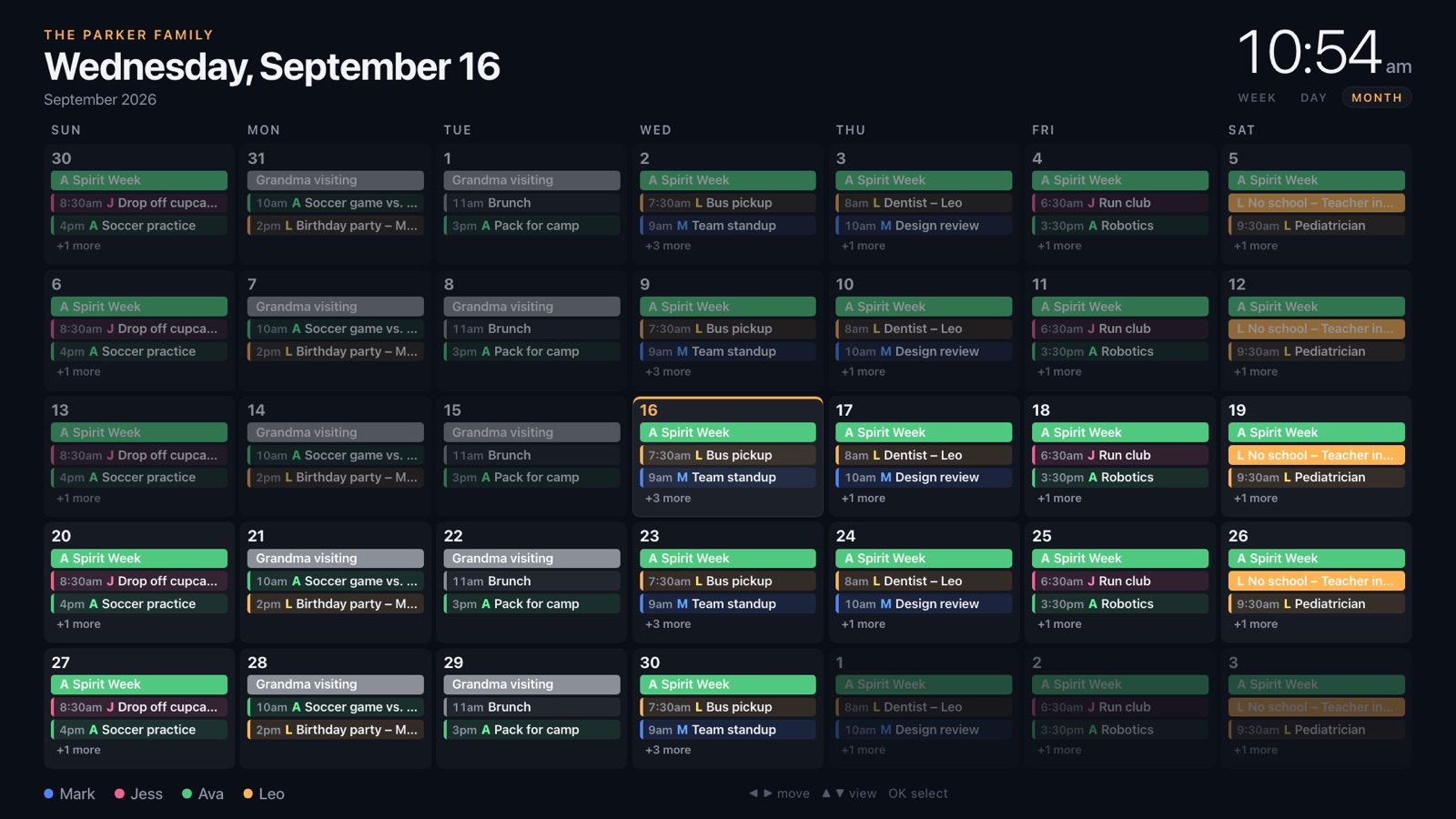
Press up or down to change views. Select any event to see where, when and who.
Search for “Family Calendar” in the Fire TV Appstore, or send it to your TV from Amazon.
The TV shows a six-character code. On your phone, go to familycalendartv.com/pair and type it in.
Paste a calendar link for each person, or pick a ready-made one like US Holidays. It's on the TV right away.
No. Family Calendar is free during early access, with no credit card and nothing to cancel. Early access includes one TV per household. See what's included.
A Fire TV or Fire TV Stick, and a phone or computer to set it up. Your calendars stay where they are. Family Calendar reads them through their calendar (iCal) link.
Anything that can share an iCal link: Google Calendar, iCloud, Outlook, TeamSnap, GameChanger, and most school, league and church calendars.
In Google Calendar on a computer, open Settings, choose the calendar under “Settings for my calendars”, and copy the Secret address in iCal format. Then paste it into Family Calendar. It takes about 30 seconds:
Yes. Invite another adult to your household and they can add people and calendars from their own phone.
Your calendar links are encrypted when we store them and are never sent to the TV, which only receives the events it displays. You can delete your account and everything in it at any time. See the privacy policy.
Yes, the app keeps the screen awake. Fire TV's “Are you still watching?” prompt can still interrupt after a few hours; here's how to turn it off.